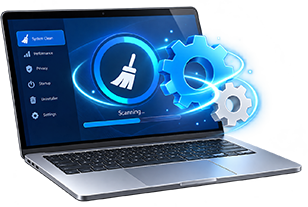
Junk file & disk cleanup
Finds and removes temporary files, leftover installation files, incomplete downloads and system caches that take up space. Your documents, photos and personal files are left alone.
Remove temporary files, leftover installer data, browser clutter and unused startup items in a few clicks. Free up disk space and help your PC start faster, without touching your personal documents.
Clear out what you don't need, tidy what runs at startup, and keep your browsing traces under control.
Finds and removes temporary files, leftover installation files, incomplete downloads and system caches that take up space. Your documents, photos and personal files are left alone.
Clears browsing history, cookies, cached data and tracking traces from popular browsers. You choose what to remove and what to keep, such as saved logins.
See which programs launch when Windows starts and turn off the ones you don't need, for faster boot times and more available memory.
Finds duplicate photos, videos and documents. Review the results and remove the copies you don't want to reclaim disk space.
Quickly spots the large files and folders using the most space, so you can decide what to remove and what to keep.
Finds installed apps you no longer use and helps you remove them, cutting down unwanted software and background processes.
Nothing is removed until you review it. Every result is sorted into clear categories, and you can untick anything you want to keep before you press clean.
Designed for Windows 11 and Windows 10 (64-bit), with Windows Server support where available. Runs on x64 and ARM64 PCs, with no special hardware needed.
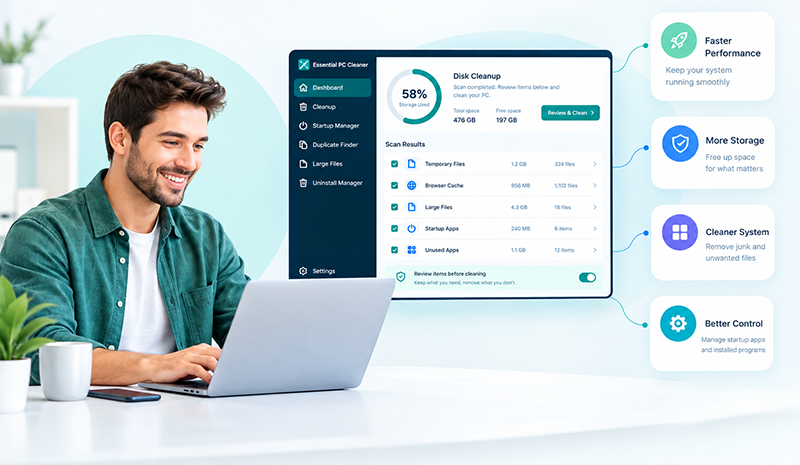
Over time, every PC collects temporary files, old caches and programs that launch at startup without you noticing. Purchase PC Cleaning Top Tools finds and removes this clutter so your computer has more free space and fewer things slowing it down.
Fewer programs running in the background.
Remove junk and leftovers you don't need.
Fewer tracking traces left behind.
A simple interface with clear choices.
Illustration only. Results depend on how much clutter your PC has.
Get your planOne-time payment. No hidden subscriptions.
Great for a basic cleanup on one PC.
Great for a basic cleanup on one PC.
Great for a basic cleanup on one PC.
Each plan covers one PC.
End-to-end PC cleanup, and you approve every change before it happens.
Check drives, browsers and startup for clutter.
Sort what was found into clear categories.
Keep anything you want before cleaning.
Remove the selected items in one click.
Turn off startup programs you don't need.
Found 10.6 GB of junk files
Clear out caches and leftovers.
Fewer programs at launch.
Fewer tracking traces.
Less running in the background.
Example for illustration. The space you free up depends on your PC.
Everything you need to know before you clean. Can't find what you're looking for?
Contact supportClear out the clutter, free up disk space and make startup faster with a one-time purchase and no subscriptions.
Get started